

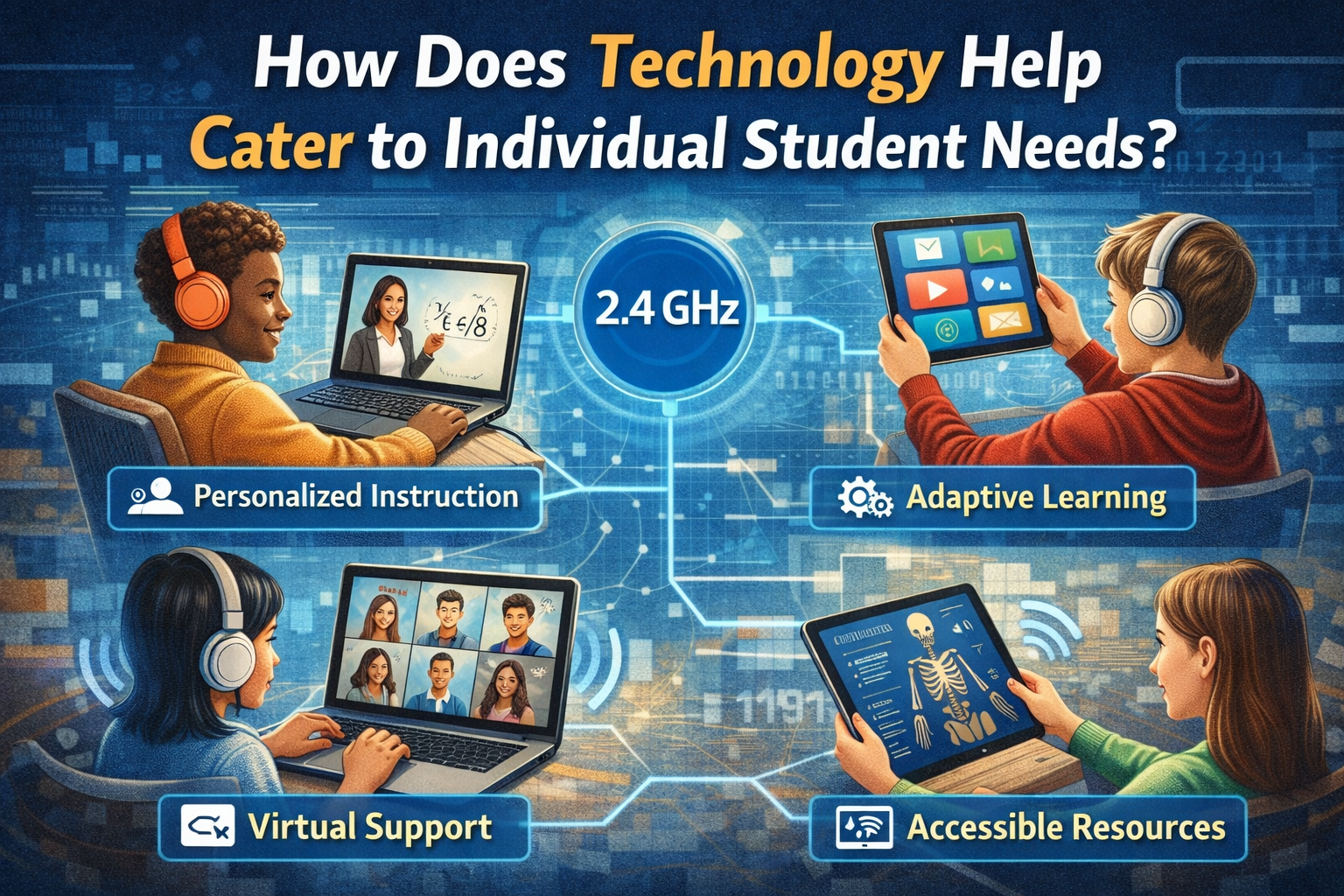
In an increasingly diverse educational landscape, the traditional “one-size-fits-all” teaching method often falls short. Students arrive in classrooms with varied learning styles, different paces, unique strengths, and specific areas where they need more support. The pressing question for educators today is: how does technology help cater to individual student needs effectively and efficiently? The answer lies in technology’s remarkable ability to personalize, adapt, and empower learners in ways previously unimaginable. From interactive digital tools to artificial intelligence, the advancements in educational technology (EdTech) in 2026 are transforming how students learn, making education more inclusive, engaging, and tailored to each individual’s journey.
Key Takeaways
- Technology provides personalized learning paths, adapting content and pace to individual student needs.
- Accessibility features in EdTech tools ensure that students with disabilities can participate fully in learning.
- Data analytics offers educators insights into student performance, enabling targeted interventions and support.
- Interactive and engaging digital resources enhance motivation and accommodate diverse learning styles.
- Technology fosters self-directed learning and collaboration, preparing students for future challenges.
The Evolution of Education: From Uniformity to Customization
For centuries, education largely operated on a model designed to deliver the same information to all students simultaneously. While this approach had its merits, it often overlooked the inherent differences in how individuals acquire and process knowledge. The rise of digital technology has fundamentally shifted this paradigm. We are now in an era where educational resources can be dynamic, responsive, and truly student-centered.
The transformative power of technology in education is not merely about digitizing textbooks or using projectors. It’s about creating an ecosystem where every student’s learning journey can be optimized. This personalization is crucial for unlocking potential, fostering a love of learning, and preparing students for a rapidly changing world. As we delve into 2026, understanding how does technology help cater to individual student needs is paramount for educators, policymakers, and parents alike.
Personalized Learning Paths: Tailoring the Journey
One of the most significant ways technology caters to individual student needs is by enabling personalized learning paths. Imagine a classroom where each student receives content, assignments, and assessments that are perfectly aligned with their current understanding, learning style, and pace. This is no longer a futuristic dream but a present-day reality, thanks to sophisticated EdTech solutions.
Adaptive Learning Platforms
Adaptive learning platforms are at the forefront of this personalization. These systems use algorithms to continuously assess a student’s progress and adjust the learning material in real-time. If a student grasps a concept quickly, the platform might introduce more challenging content. Conversely, if a student struggles, the system can provide additional resources, explanations, or practice problems, breaking down complex topics into smaller, more manageable parts.
For example, a student struggling with algebra might receive extra tutorials and practice questions on specific types of equations, while a student who has mastered those concepts could move on to advanced topics or problem-solving scenarios. This dynamic adjustment ensures that no student is left behind or held back. This adaptability is a prime example of how science and technology affect our lives, transforming society.
Differentiated Instruction Through Digital Tools
Technology empowers educators to implement differentiated instruction more effectively. Teachers can use various digital tools to provide different learning experiences based on individual student needs:
- Content Differentiation: Offering texts at various reading levels, videos for visual learners, or audio explanations for auditory learners.
- Process Differentiation: Providing options for how students engage with the material, such as interactive simulations, research projects, or group discussions.
- Product Differentiation: Allowing students to demonstrate their understanding in diverse ways, like creating a presentation, writing an essay, or building a model.
This approach acknowledges that what works for one student may not work for another, fostering an environment where all students can thrive.
Enhancing Accessibility for All Learners
Accessibility is a cornerstone of inclusive education, and technology plays a pivotal role in ensuring that every student, regardless of their physical or cognitive abilities, has equal access to learning opportunities. Understanding how does technology help cater to individual student needs in terms of accessibility is crucial for equitable education.
Related Posts:
- How Science and Technology Affect Our Lives…

- Does Technology Benefit Society The Impact on Modern Life

- What Is a Bachelor of Science in Information…

- How Technology Affects Family Communication Digital…

- How Technology Affects Our Daily Lives A Comprehensive Essay
- What Is Accenture Technology? Navigating the Digital…
Assistive Technologies (AT)
Assistive technologies are designed to help individuals with disabilities perform tasks they might otherwise struggle with. In the classroom, AT includes:
- Screen Readers: Software that reads digital text aloud for students with visual impairments or dyslexia.
- Speech-to-Text Software: Allows students to dictate their thoughts and have them transcribed into written text, beneficial for those with motor difficulties or learning disabilities that affect writing.
- Text-to-Speech Tools: Converts written text into spoken words, aiding students with reading difficulties or visual impairments.
- Alternative Input Devices: Keyboards, mice, and other devices tailored for students with physical limitations, enabling them to interact with computers.
- Closed Captioning and Transcripts: Provide text versions of audio and video content, indispensable for students who are deaf or hard of hearing.
These tools break down barriers, allowing students with diverse needs to fully engage with educational content and express their understanding.
Universal Design for Learning (UDL) Principles
Technology facilitates the implementation of Universal Design for Learning (UDL), a framework that aims to create flexible learning environments that accommodate individual differences. UDL focuses on providing multiple means of:
- Representation: Presenting information in various formats (e.g., text, audio, video, interactive simulations) to cater to different perceptual and cognitive styles.
- Action & Expression: Offering diverse ways for students to demonstrate what they know (e.g., written assignments, oral presentations, multimedia projects, hands-on activities).
- Engagement: Providing multiple options for motivating students, fostering persistence, and helping them self-regulate their learning.
By integrating UDL principles with technology, educators can design lessons and materials that are inherently accessible and engaging for all students from the outset.
Data-Driven Insights for Targeted Support
One of the most powerful contributions of technology to personalized education is its ability to collect and analyze vast amounts of data on student performance. This data provides invaluable insights into individual student needs, allowing educators to make informed decisions and provide targeted support.
Learning Analytics
Learning analytics involves the measurement, collection, analysis, and reporting of data about learners and their contexts for purposes of understanding and optimizing learning and the environments in which it occurs [1]. Educational platforms can track:
- Time spent on tasks.
- Accuracy rates on assignments and quizzes.
- Engagement with different types of content.
- Patterns of correct and incorrect answers.
- Progress over time.
This detailed data helps teachers identify struggling students early, pinpoint specific areas of difficulty, and understand individual learning patterns. For instance, if data shows a student consistently struggles with word problems in math, the teacher can provide focused interventions, rather than a broad review of the entire math unit.
Formative Assessment and Feedback
Technology streamlines formative assessment, providing immediate feedback to students and teachers. Digital quizzes, interactive exercises, and online discussion forums allow for continuous monitoring of understanding.
- Instant Feedback for Students: Students receive immediate feedback on their answers, allowing them to correct misconceptions on the spot and learn from their mistakes.
- Teacher Dashboards: Teachers gain access to dashboards that visually summarize class performance and highlight students who might need extra help, enabling proactive intervention.
This feedback loop is critical for catering to individual needs, ensuring that students receive support precisely when and where they need it. The shift from traditional assessment methods to more dynamic, technology-driven approaches is one way how technology affects our daily lives.
Engaging and Interactive Learning Experiences
Student engagement is a key factor in successful learning. Technology provides a rich array of tools that can make learning more interactive, immersive, and enjoyable, thereby catering to diverse interests and learning styles.
Gamification
Gamification involves applying game-design elements and game principles in non-game contexts [2]. In education, this means incorporating features like points, badges, leaderboards, and challenges into learning activities. Gamification can:
- Increase motivation and engagement.
- Provide immediate feedback and a sense of accomplishment.
- Encourage persistence through difficult tasks.
- Foster healthy competition and collaboration.
For a student who struggles with motivation, a gamified learning platform can transform tedious exercises into an engaging quest, making the learning process more enjoyable and effective.
Virtual Reality (VR) and Augmented Reality (AR)
VR and AR offer immersive experiences that can bring abstract concepts to life.
- Virtual Reality: Students can explore ancient Rome, dissect a virtual frog, or tour the human body in 3D without leaving the classroom. This hands-on, experiential learning is particularly beneficial for kinesthetic and visual learners.
- Augmented Reality: AR apps can overlay digital information onto the real world, allowing students to point their devices at a textbook image to see a 3D model appear or interact with virtual objects in their physical environment.
These technologies provide powerful new ways to visualize and interact with complex subjects, catering to students who learn best through doing and experiencing.
Multimedia Resources
Beyond VR/AR, a wealth of multimedia resources, including educational videos, interactive simulations, podcasts, and digital storytelling tools, can engage students who might struggle with traditional text-based learning. These resources offer multiple modalities for information delivery, ensuring that diverse learning styles are addressed.
Fostering Collaboration and Communication
While technology often brings to mind individual screens, it also excels at fostering collaboration and communication, which are vital skills for individual and group success. Understanding how does technology help cater to individual student needs by enhancing interaction is important.
Online Collaboration Tools
Platforms like Google Workspace, Microsoft 365, and various learning management systems (LMS) allow students to work together on projects in real-time, even when not physically in the same room. These tools facilitate:
- Shared Document Editing: Students can co-author essays, presentations, or spreadsheets.
- Virtual Whiteboards: Teams can brainstorm ideas and plan projects visually.
- Project Management Tools: Students can assign tasks, set deadlines, and track progress together.
This collaborative environment mirrors real-world professional settings, teaching students essential teamwork and communication skills. It also allows students with different strengths to contribute uniquely to a group effort.
Digital Communication Channels
Technology provides numerous channels for communication between students, teachers, and even parents.
- Discussion Forums: Allow students to ask questions, share insights, and engage in thoughtful debates at their own pace. This is particularly beneficial for shy students who might hesitate to speak up in a live classroom setting.
- Messaging Platforms: Enable quick questions to teachers or peer-to-peer support.
- Video Conferencing: Facilitates virtual group work, remote tutoring, or parent-teacher conferences.
These communication tools support diverse social and emotional needs, ensuring every student has a voice and access to support. This exemplifies how technology changed communication from letters to instant messaging.
Developing 21st-Century Skills
Beyond academic content, technology helps cater to individual student needs by developing crucial 21st-century skills essential for success in 2026 and beyond.
Digital Literacy and Citizenship
In an increasingly digital world, students need to be digitally literate and responsible online citizens. Technology in the classroom provides opportunities to:
- Navigate Digital Environments: Students learn to use various software, applications, and online resources effectively.
- Evaluate Information: They develop critical thinking skills to discern reliable sources from misinformation online.
- Practice Online Etiquette: Understanding respectful and safe online behavior.
- Understand Cyber Security: Learning about privacy, data protection, and online safety.
These skills are fundamental for personal and professional success in the modern era.
Critical Thinking and Problem-Solving
Many EdTech tools are designed to encourage critical thinking and problem-solving. Interactive simulations, coding platforms, and digital project-based learning activities challenge students to analyze situations, devise strategies, and overcome obstacles. This active engagement is more effective for developing these higher-order thinking skills than passive consumption of information.
Creativity and Innovation
Technology provides powerful tools for creative expression and innovation. Students can use:
- Multimedia Creation Software: To produce videos, podcasts, digital art, and interactive presentations.
- Coding Platforms: To design games, apps, or websites.
- 3D Printing and Design Software: To prototype physical objects.
These opportunities allow students to explore their creative potential, turning abstract ideas into tangible creations, catering to students who express themselves best through artistic or inventive means.
Challenges and Considerations
While the benefits are profound, it’s important to acknowledge that leveraging technology to cater to individual student needs is not without its challenges.
Digital Divide
Access to technology and reliable internet remains a significant barrier for many students, particularly in underserved communities. This “digital divide” can exacerbate existing inequalities if not addressed [3]. Ensuring equitable access is paramount for technology to truly serve all individual needs.
Teacher Training and Support
Educators require adequate training and ongoing professional development to effectively integrate technology into their teaching practices. This includes understanding how to use new tools, interpret data, and design personalized learning experiences. Without proper support, technology can become an underutilized or misused resource.
Data Privacy and Security
As more student data is collected, ensuring its privacy and security becomes critically important. Educational institutions must implement robust safeguards and adhere to strict data protection regulations to protect sensitive student information.
Balancing Screen Time with Other Learning Modalities
While technology offers immense benefits, it’s essential to balance screen time with traditional teaching methods, hands-on activities, and social interaction. A holistic approach to education considers the full range of student development needs. One must always be aware of how technology is bad for us: the negative side effects in a broader sense.
The Future of Personalized Learning in 2026 and Beyond
Looking ahead, the integration of cutting-edge technologies like Artificial Intelligence (AI) and Machine Learning (ML) will further refine how education caters to individual student needs.
- AI-Powered Tutors: AI can provide instant, personalized tutoring, offering explanations, hints, and practice problems tailored to each student’s specific difficulties.
- Predictive Analytics: AI can analyze learning patterns to predict when a student might struggle with a concept before they even encounter it, allowing for proactive interventions.
- Automated Assessment: AI can grade certain types of assignments, freeing up teacher time to focus on individualized student support and complex feedback.
The goal is not to replace human teachers but to augment their capabilities, enabling them to reach every student more effectively. The landscape of education in 2026 is one of incredible potential, where technology serves as a powerful ally in creating truly student-centered learning environments. To stay updated on the latest trends and insights, one can regularly check a blog dedicated to technology and its impact.
Conclusion
The question “how does technology help cater to individual student needs?” reveals a multifaceted answer rooted in personalization, accessibility, data-driven insights, engagement, and skill development. In 2026, technology is no longer just a tool but an integral partner in creating an equitable and effective educational system. It empowers educators to understand each student’s unique profile, adapt content and methods accordingly, and provide targeted support that fosters growth and achievement.
By embracing adaptive learning platforms, assistive technologies, data analytics, and interactive resources, schools can move beyond the limitations of uniform instruction. This transformation ensures that every student has the opportunity to learn at their own pace, in their preferred style, and with the specific support they require to thrive. The journey towards fully personalized learning is ongoing, but with continued innovation and thoughtful implementation, technology holds the key to unlocking the full potential of every learner.
Actionable Next Steps
- Assess Current Tech Integration: Evaluate how technology is currently being used in your educational setting and identify areas for improvement in personalization.
- Invest in Professional Development: Prioritize training for educators on new EdTech tools and strategies for differentiated instruction.
- Prioritize Accessibility: Ensure all digital resources and platforms meet accessibility standards to support diverse learners.
- Leverage Data Analytics: Implement systems to collect and analyze student learning data to inform instructional decisions.
- Explore Emerging Technologies: Research and pilot new tools like AI tutors or VR/AR applications to further enhance personalized learning experiences.
References
- Siemens, G., & Gasevic, D. (2012). Guest Editorial—Learning Analytics: An Emergent Discipline. Journal of Educational Technology & Society, 15(3), 1–2.
- Deterding, S., Sicart, M., Nacke, L., O’Hara, K., & Dixon, D. (2011, September). Gamification: using game-design elements in non-game contexts. In CHI’11 extended abstracts on human factors in computing systems (pp. 2425-2428).
- Warschauer, M. (2003). Technology and social inclusion: Rethinking the digital divide. MIT press.
Frequently Asked Questions about Technology and Student Needs
❓ How do adaptive learning platforms cater to individual student needs?
Adaptive learning platforms use algorithms to constantly assess a student’s progress and adjust the learning material in real-time. If a student understands a concept quickly, the platform can offer more advanced content. If they struggle, it provides extra resources or practice, ensuring content is always at the right challenge level.
♿ What assistive technologies help students with disabilities?
Assistive technologies include screen readers for visual impairments, speech-to-text software for writing difficulties, text-to-speech tools for reading, alternative input devices for physical limitations, and closed captioning for hearing impairments. These tools provide equal access to educational content.
📊 How does data analytics improve support for individual students?
Learning analytics collects data on student performance, engagement, and progress. This data helps educators identify struggling students early, pinpoint specific areas of difficulty, and understand individual learning patterns, allowing for targeted interventions and personalized support.
💡 Can technology make learning more engaging for all students?
Absolutely! Technology offers tools like gamification, virtual reality (VR), augmented reality (AR), and diverse multimedia resources. These create interactive, immersive, and enjoyable learning experiences that cater to various learning styles and keep students motivated and actively involved.
🤝 How does technology foster collaboration among students?
Technology provides online collaboration tools like shared document editing, virtual whiteboards, and project management platforms. These enable students to work together on projects in real-time, share ideas, and develop essential teamwork and communication skills, even when not physically in the same space.
How to Implement Technology for Individual Student Needs in Your Classroom
Step 1: Assess Student Needs and Current Technology Use
Start by understanding your students’ diverse learning styles, academic levels, and accessibility requirements. Also, evaluate the existing technology in your classroom and school to identify what’s available and what gaps exist. Conduct surveys or observations to gather this initial data.
Step 2: Choose Appropriate EdTech Tools
Based on your assessment, select specific educational technology tools that align with individual student needs. This might include adaptive learning platforms, assistive technologies, digital content creation tools, or collaborative software. Prioritize tools that offer flexibility and customization.
Step 3: Provide Teacher Training and Professional Development
Ensure educators receive comprehensive training on how to effectively use the chosen technologies. This should cover not only the technical aspects but also pedagogical strategies for integrating tools to differentiate instruction and personalize learning experiences.
Step 4: Design Differentiated Learning Activities
Develop lessons and assignments that leverage technology to offer multiple pathways for learning and demonstrating understanding. Provide choices in content presentation (text, video, audio), process (individual, group, interactive), and product (essay, presentation, model).
Step 5: Monitor Progress and Provide Feedback
Utilize the data and analytics features of your EdTech tools to track student progress. Use this data to provide timely, individualized feedback and adjust instructional strategies as needed. Regularly review student performance to ensure technologies are effectively meeting individual needs.
Key Educational Technology Terms
Adaptive Learning Platform
A software system that adjusts the difficulty, pace, and content of educational material in real-time based on a student’s individual performance and learning needs.
Assistive Technologies (AT)
Tools and devices designed to help individuals with disabilities perform tasks, communicate, learn, or otherwise function more independently, such as screen readers or speech-to-text software.
Universal Design for Learning (UDL)
A framework for designing learning environments and experiences that are accessible and engaging for all learners, providing multiple means of representation, action & expression, and engagement.
Learning Analytics
The measurement, collection, analysis, and reporting of data about learners and their contexts for purposes of understanding and optimizing learning and the environments in which it occurs.
Gamification
The application of game-design elements and game principles in non-game contexts, such as education, to enhance engagement, motivation, and learning outcomes through features like points, badges, and leaderboards.