

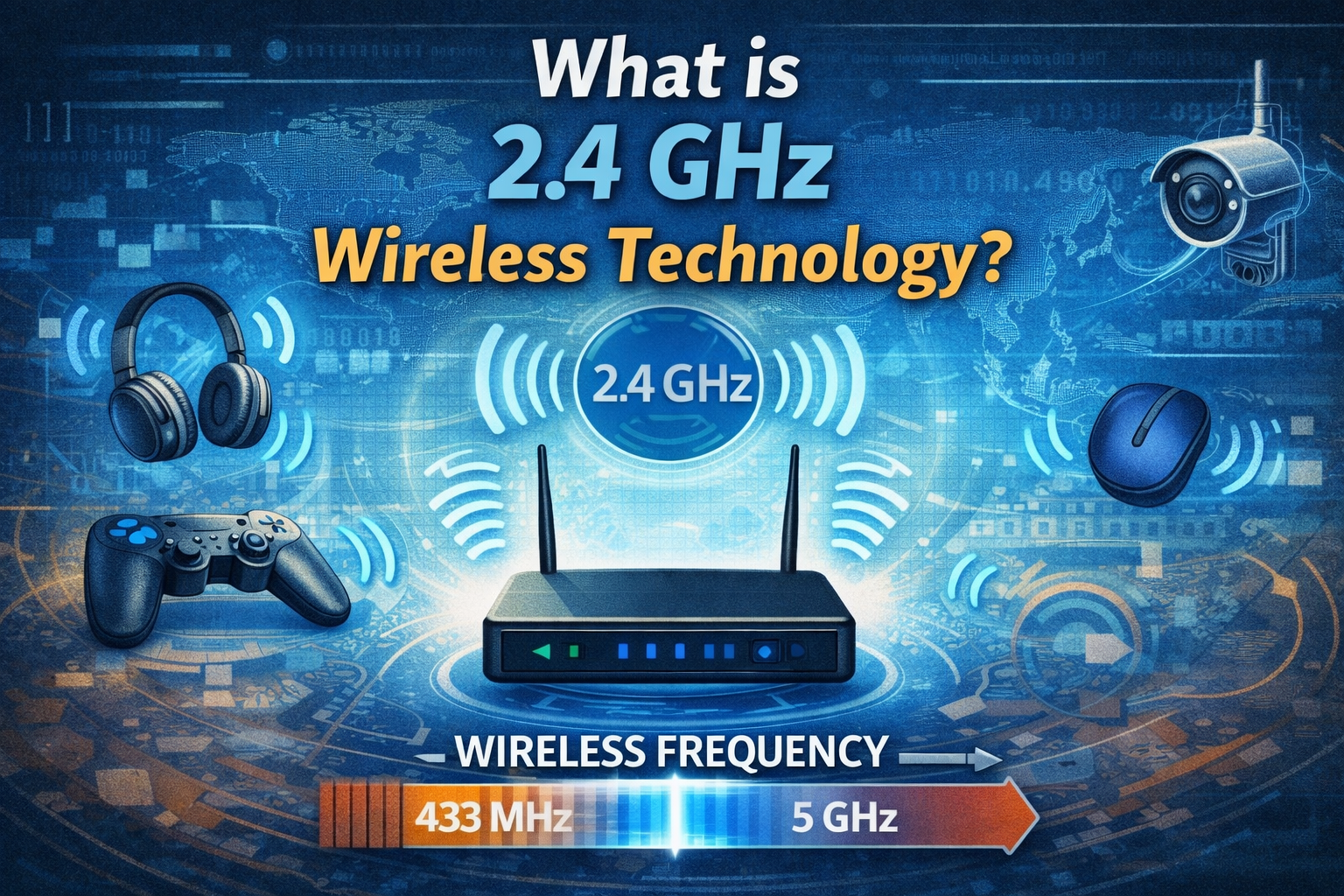
In an increasingly interconnected world, wireless technology underpins nearly every aspect of our digital lives, from streaming movies to controlling smart home devices. Among the various frequency bands utilized for wireless communication, 2.4 GHz stands out as one of the most foundational and widely adopted. But what exactly is 2.4 GHz wireless technology, and why has it remained so prevalent despite newer alternatives? This article delves into the core principles, advantages, limitations, and practical applications of 2.4 GHz wireless technology, providing a comprehensive understanding for anyone looking to optimize their home network or simply understand the invisible forces shaping our connectivity in 2026.
Key Takeaways
- Ubiquitous Frequency Band: 2.4 GHz is a globally recognized and widely used frequency band for various wireless communication standards, most notably Wi-Fi and Bluetooth.
- Longer Range & Better Obstacle Penetration: Signals on the 2.4 GHz band can travel further and penetrate solid objects (like walls) more effectively than higher frequencies, making it suitable for larger homes and offices.
- Slower Speeds & Higher Interference: Compared to 5 GHz or 6 GHz Wi-Fi, 2.4 GHz generally offers lower maximum data speeds and is more susceptible to interference from other devices operating on the same crowded band.
- Compatibility & Reliability: Its widespread adoption ensures broad compatibility with a vast array of older and newer devices, providing a robust and reliable connection for many common applications.
- Ideal for Basic Connectivity: It is well-suited for tasks that don’t require high bandwidth, such as browsing, email, smart home devices, and general internet use where range and stability are prioritized over raw speed.
The Foundation of Wireless Connectivity: What is 2.4 GHz Wireless Technology?
At its heart, 2.4 GHz wireless technology refers to the use of the 2.4 gigahertz frequency band for transmitting data wirelessly. This specific radio frequency spectrum is part of the Industrial, Scientific, and Medical (ISM) band, which means it can be used without a license for certain applications, making it incredibly popular for consumer devices. It’s the workhorse behind many of the wireless connections we interact with daily, from our home Wi-Fi networks to the Bluetooth accessories paired with our smartphones. Understanding what is 2.4 GHz wireless technology is crucial for anyone navigating the complexities of modern digital environments, especially in 2026 where wireless demands continue to escalate.
The 2.4 GHz band is a slice of the electromagnetic spectrum, specifically ranging from 2.400 GHz to 2.4835 GHz. Within this range, various wireless protocols operate, each carving out specific channels or methods to transmit information. Its widespread adoption stems from a combination of technical characteristics and historical factors that made it an ideal choice for short-to-medium range wireless communication.
The Electromagnetic Spectrum Explained
To truly grasp what is 2.4 GHz wireless technology, it helps to understand its place within the broader electromagnetic spectrum. This spectrum encompasses all forms of electromagnetic radiation, from low-frequency radio waves to high-frequency gamma rays. Radio waves, which include the 2.4 GHz band, are used for transmitting information because they can travel through the air.
- Frequency: Refers to the number of wave cycles that pass a point per second, measured in Hertz (Hz). Higher frequencies generally mean shorter wavelengths and can carry more data, but have shorter range and poorer penetration.
- Wavelength: The distance between two consecutive peaks or troughs of a wave. For 2.4 GHz, the wavelength is approximately 12.5 centimeters. Longer wavelengths tend to travel further and penetrate obstacles better.
The 2.4 GHz band strikes a balance, offering a reasonable amount of bandwidth for data transmission while maintaining good range and obstacle penetration, a topic we will explore in more detail.
Historical Context and Evolution
The journey of 2.4 GHz wireless technology began in earnest with the development of Wi-Fi (Wireless Fidelity) in the late 1990s. The initial IEEE 802.11 standard, ratified in 1997, primarily operated on the 2.4 GHz band. This set the stage for its ubiquitous presence. Prior to Wi-Fi, wireless connections were often proprietary and incompatible. The standardization offered by 802.11 allowed devices from different manufacturers to communicate, paving the way for widespread adoption.
Bluetooth, another critical wireless standard, also utilizes the 2.4 GHz band, emerging around the same time as Wi-Fi. Its focus on short-range, low-power connections for personal area networks (PANs) further cemented the 2.4 GHz band’s role in consumer electronics. The fact that both Wi-Fi and Bluetooth coexist on the same frequency band is a testament to clever engineering, but also a source of potential interference.
Key Characteristics of 2.4 GHz Wireless Technology
Understanding the fundamental characteristics of 2.4 GHz wireless technology is essential for appreciating its strengths and weaknesses in various applications.
1. Range and Penetration
One of the most significant advantages of 2.4 GHz signals is their superior range and ability to penetrate solid objects.
Related Posts:
- How Technology Affects Our Daily Lives A Comprehensive Essay

- How Technology Affects Family Communication Digital…

- How Science and Technology Affect Our Lives…

- Does Technology Benefit Society The Impact on Modern Life

- How Does Technology Help Cater to Individual Student…

- How Technology Changed Communication From Letters to…

- Longer Wavelength: As mentioned, 2.4 GHz signals have a longer wavelength compared to higher frequencies like 5 GHz. Longer waves are less attenuated (weakened) by obstacles like walls, floors, and furniture.
- Extended Coverage: This characteristic makes 2.4 GHz an excellent choice for providing wireless coverage across larger areas, such as multi-story homes or offices with many internal divisions. Devices further away from the router are more likely to maintain a stable connection on this band.
- Reduced Dead Zones: Because the signals can “bend” around or pass through objects more effectively, 2.4 GHz networks tend to have fewer dead zones compared to 5 GHz networks in complex environments.
2. Speed and Bandwidth
While range is a strong suit, speed is where 2.4 GHz wireless technology often falls short compared to its higher-frequency counterparts.
- Lower Maximum Throughput: The 2.4 GHz band offers fewer available channels and a narrower frequency spectrum than the 5 GHz band. This inherent limitation translates to lower maximum theoretical data speeds.
- Practical Speeds: In real-world scenarios, factors like interference and network congestion further reduce effective speeds. For instance, an 802.11n Wi-Fi network on 2.4 GHz might offer theoretical speeds up to 300 Mbps, but practical speeds are often much lower, perhaps in the range of 50-100 Mbps, or even less depending on the environment.
- Suitable for Basic Tasks: These speeds are perfectly adequate for many common online activities such as web browsing, email, social media, and even standard definition video streaming. However, for demanding applications like 4K video streaming, large file transfers, or competitive online gaming, 2.4 GHz might feel sluggish.
3. Interference and Congestion
The popularity of the 2.4 GHz band is a double-edged sword: while it ensures broad compatibility, it also leads to significant congestion and interference issues.
- Crowded Spectrum: Many devices operate on this band. Beyond Wi-Fi and Bluetooth, cordless phones, microwave ovens, baby monitors, and even some security cameras utilize the 2.4 GHz frequency.
- Limited Channels: The 2.4 GHz Wi-Fi band typically has 11 channels in North America (13 in Europe), but only three of these (channels 1, 6, and 11) are non-overlapping. This means that if multiple Wi-Fi networks or other devices in close proximity are using the same or overlapping channels, they can interfere with each other, leading to slower speeds and dropped connections.
- Microwave Ovens: Microwave ovens are notorious sources of 2.4 GHz interference. When a microwave is running, it can significantly degrade Wi-Fi and Bluetooth performance in its vicinity.
- Bluetooth Coexistence: Wi-Fi and Bluetooth devices, despite both using 2.4 GHz, have mechanisms (like Adaptive Frequency Hopping for Bluetooth) to try and coexist, but interference can still occur, especially when both are heavily utilized on the same device or in close proximity.
4. Energy Consumption
In general, 2.4 GHz wireless technology can be more energy-efficient for certain types of devices, especially those designed for low-power operation like Bluetooth devices. While Wi-Fi radios consume more power than Bluetooth, the 2.4 GHz band generally requires less power to transmit signals over a given distance compared to higher frequencies due to less attenuation. This can be beneficial for battery-powered devices.
How 2.4 GHz Wireless Technology Works
To demystify what is 2.4 GHz wireless technology, let’s briefly touch upon the underlying mechanisms.
- Radio Waves: Devices convert digital data into radio waves, which are then transmitted through an antenna.
- Frequency and Channels: These radio waves are broadcast on a specific frequency within the 2.4 GHz band. Wi-Fi divides this band into channels to allow multiple networks to operate simultaneously without directly colliding.
- Modulation: The digital data is encoded onto the radio wave using various modulation techniques (e.g., QAM, PSK).
- Reception: A receiving device (like your laptop or smartphone) picks up these radio waves through its antenna, demodulates them back into digital data, and processes the information.
- Protocols: Specific communication protocols (like IEEE 802.11 for Wi-Fi or the Bluetooth Core Specification) dictate how devices communicate, ensuring they understand each other’s signals and manage data flow, error correction, and security.
Understanding Wi-Fi Standards on 2.4 GHz
Different Wi-Fi standards operate on the 2.4 GHz band, each offering varying levels of performance and features:
- 802.11b (Wi-Fi 1): The oldest mainstream standard, offering speeds up to 11 Mbps. Now largely obsolete for primary use but still supported for backward compatibility.
- 802.11g (Wi-Fi 3): Introduced in 2003, compatible with 802.11b, and boosted speeds up to 54 Mbps. A significant step forward at the time.
- 802.11n (Wi-Fi 4): A major leap, introduced in 2009. It brought Multiple-Input, Multiple-Output (MIMO) technology, allowing for theoretical speeds up to 300 Mbps (and sometimes higher with specific configurations) on the 2.4 GHz band, and also introduced dual-band capabilities (operating on both 2.4 GHz and 5 GHz).
- 802.11ax (Wi-Fi 6): While primarily known for its advancements on the 5 GHz and 6 GHz bands, Wi-Fi 6 also improves efficiency and performance on the 2.4 GHz band through technologies like OFDMA and BSS coloring, particularly in dense environments, enhancing what is 2.4 GHz wireless technology for modern use cases [1].
Common Applications of 2.4 GHz Wireless Technology
The ubiquity of the 2.4 GHz band means it powers a vast array of devices and applications in 2026.
Home Wi-Fi Networks
Most home routers are dual-band, meaning they broadcast both 2.4 GHz and 5 GHz Wi-Fi networks. The 2.4 GHz network is often the default or the one used for devices that need wider coverage or are older. It’s excellent for:
- General internet browsing and email: These activities don’t require high bandwidth.
- Smart home devices: Smart bulbs, thermostats, security cameras, smart plugs, and many IoT (Internet of Things) devices often use 2.4 GHz for its superior range and lower power consumption.
- Legacy devices: Older laptops, tablets, and smartphones that may not support 5 GHz Wi-Fi rely solely on 2.4 GHz.
Bluetooth Devices
Bluetooth is a standard for short-range wireless communication, predominantly operating in the 2.4 GHz ISM band. It’s designed for low-power consumption and is ideal for connecting peripherals.
- Wireless headphones and earbuds: For audio streaming.
- Keyboards, mice, and game controllers: For input and control.
- Smartwatches and fitness trackers: For syncing data with smartphones.
- Car infotainment systems: For hands-free calls and audio streaming.
Cordless Phones
Many older and some newer cordless phones use the 2.4 GHz frequency, contributing to the congestion in this band.
Remote Controls and Wireless Peripherals
Some garage door openers, wireless security systems, and specialized remote controls operate on the 2.4 GHz band.
Baby Monitors
Many traditional baby monitors utilize the 2.4 GHz band for audio and video transmission, though some newer digital ones operate on different frequencies to reduce interference.
2.4 GHz vs. 5 GHz Wireless Technology: A Comparison
Modern wireless networks, particularly Wi-Fi, often offer both 2.4 GHz and 5 GHz bands. Understanding the differences is key to optimizing your connectivity.
| Feature | 2.4 GHz Wireless Technology | 5 GHz Wireless Technology |
|---|---|---|
| Frequency Range | 2.400 – 2.4835 GHz | 5.150 – 5.825 GHz |
| Range & Penetration | Longer range, better wall penetration | Shorter range, poorer wall penetration |
| Speed (Theoretical) | Lower (e.g., 300-450 Mbps for 802.11n) | Higher (e.g., 867-1300 Mbps for 802.11ac, up to Gbps for 802.11ax) |
| Interference | High (crowded, many devices) | Lower (fewer devices, more non-overlapping channels) |
| Bandwidth | Fewer channels, narrower spectrum | More channels, wider spectrum |
| Common Uses | Smart home, general browsing, older devices, long-range | Streaming 4K video, online gaming, large file transfers, high-density areas |
| Compatibility | Highly compatible with older and newer devices | Newer devices primarily, some older devices lack support |
The choice between 2.4 GHz and 5 GHz often depends on the specific device, its location, and the task at hand. For a device far from your router or behind multiple walls, 2.4 GHz is usually the more reliable choice. For devices close to the router that demand high bandwidth, 5 GHz is superior. Learn more about how technology affects our daily lives in general through this article on how technology affects our daily lives.
Optimizing Your 2.4 GHz Wireless Network
Despite its limitations, you can often improve the performance of your 2.4 GHz network.
- Router Placement: Position your router in a central location, away from obstructions and potential interference sources like microwave ovens and cordless phones.
- Channel Selection: If your router allows manual channel selection, use a Wi-Fi analyzer app (available on smartphones) to identify the least congested non-overlapping channels (1, 6, or 11) in your area.
- Firmware Updates: Regularly update your router’s firmware. Manufacturers often release updates that improve performance, security, and stability.
- Use a Dual-Band Router: If you don’t already have one, invest in a dual-band (or tri-band) router to take advantage of both 2.4 GHz and 5 GHz bands.
- Utilize 5 GHz Where Possible: Connect devices that require high bandwidth (e.g., streaming devices, gaming consoles, main computers) to the 5 GHz band if they are close enough to the router, freeing up the 2.4 GHz band for other devices.
- Reduce Interference: Keep other 2.4 GHz devices (like old cordless phones) away from your router or consider upgrading them to alternatives that use different frequencies.
- Wi-Fi Extenders/Mesh Systems: For very large homes, consider Wi-Fi extenders or a mesh Wi-Fi system to improve coverage and signal strength in far-flung areas. This can significantly boost the effective range of what is 2.4 GHz wireless technology in your home.
For a broader understanding of how technologies like this continue to evolve and impact us, consider exploring discussions on the most important technologies shaping our world.
The Future of 2.4 GHz Wireless Technology in 2026 and Beyond
Even with the advent of 5 GHz, 6 GHz (Wi-Fi 6E), and potentially 7 GHz (Wi-Fi 7) technologies, the 2.4 GHz band is unlikely to disappear. Its strengths – superior range, excellent obstacle penetration, and broad compatibility – ensure its continued relevance, especially for specific applications.
- IoT and Smart Home: The 2.4 GHz band remains the dominant choice for many Internet of Things (IoT) devices due to its range, low power consumption, and ability to penetrate walls, making it ideal for devices like smart sensors, security cameras, and smart plugs spread throughout a home.
- Bluetooth Evolution: Bluetooth technology, a key user of the 2.4 GHz band, continues to evolve with new standards like Bluetooth LE (Low Energy), which further reduces power consumption and expands its use cases in wearables and health monitoring.
- Backward Compatibility: The immense installed base of 2.4 GHz-only devices means routers will continue to support this band for the foreseeable future to ensure backward compatibility.
- Emerging Technologies: While new high-bandwidth applications will gravitate towards higher frequencies, 2.4 GHz will continue to serve as a reliable foundation for applications where range and stability are prioritized over raw speed. The evolution of Wi-Fi 6 and future standards will bring efficiency improvements to the 2.4 GHz band, allowing more devices to coexist gracefully.
The strategic role of the 2.4 GHz band highlights how technology can have both beneficial and negative impacts, a dichotomy explored in articles such as how technology is bad for us. While interference can be a drawback, its widespread utility is undeniably beneficial.
Conclusion
Understanding “what is 2.4 GHz wireless technology” reveals a critical component of our modern digital infrastructure. It’s the unsung hero powering countless devices in our homes and offices, providing reliable connectivity over greater distances and through obstacles where higher frequencies struggle. While it may not offer the blistering speeds of its 5 GHz or 6 GHz counterparts, its strengths in range, penetration, and compatibility make it indispensable for smart home devices, general browsing, and ensuring that every corner of your property has a connection.
In 2026, as our reliance on wireless connectivity grows, recognizing the distinct capabilities of the 2.4 GHz band allows for more informed decisions about network setup and device usage. By optimizing its use, managing interference, and leveraging its inherent advantages, users can ensure a robust and efficient wireless experience tailored to their needs. As technology continues to evolve, the 2.4 GHz band will undoubtedly adapt, maintaining its vital role in the tapestry of wireless communication. For more insights into how science and technology continue to shape our world, visit the Techtops blog.
References
[1] IEEE Standard for Information Technology—Telecommunications and Information Exchange Between Systems—Local and Metropolitan Area Networks—Specific Requirements—Part 11: Wireless LAN Medium Access Control (MAC) and Physical Layer (PHY) Specifications Amendment 1: Enhancements for Higher Throughput in the 2.4 GHz and 5 GHz Bands. IEEE Std 802.11n-2009.
Frequently Asked Questions about 2.4 GHz Wireless Technology
2.4 GHz wireless technology is primarily used for Wi-Fi networks in homes and offices, Bluetooth devices like headphones and speakers, smart home devices (IoT), cordless phones, and some remote controls. Its strength lies in providing wider coverage and better penetration through walls.
2.4 GHz Wi-Fi is generally slower because it operates on a narrower frequency spectrum with fewer non-overlapping channels. This leads to more interference from other devices (like microwaves and other Wi-Fi networks) and limits the maximum data throughput compared to the 5 GHz band, which has more available channels and wider bandwidth.
Interference on the 2.4 GHz band can be caused by a multitude of devices. Common culprits include other Wi-Fi networks, Bluetooth devices, microwave ovens, cordless phones, baby monitors, and some security cameras. The crowded nature of this frequency band makes it highly susceptible to signal disruption.
The choice depends on the device and its location. Use 2.4 GHz for devices that are far from your router, behind multiple walls, or are smart home devices that don’t require high bandwidth (e.g., smart plugs, thermostats). Use 5 GHz for devices close to the router that need high speeds for activities like 4K streaming, online gaming, or large file transfers.
How to Optimize Your 2.4 GHz Wireless Network
Improve the performance and reliability of your 2.4 GHz Wi-Fi network by following these simple steps. A well-optimized 2.4 GHz network can provide consistent connectivity for all your devices, especially those that need wider coverage.
Optimize Router Placement
Place your router in a central location in your home. Ensure it’s away from physical obstructions like thick walls and potential interference sources such as microwave ovens, cordless phones, and large metal objects. Higher elevation is also beneficial.
Select the Least Congested Wi-Fi Channel
Use a Wi-Fi analyzer app on your smartphone to identify which channels (1, 6, or 11 are non-overlapping) are least congested in your area. Access your router’s administrative interface and manually select the clearest channel. Avoid ‘auto’ channel selection if it frequently picks a crowded one.
Update Router Firmware
Regularly check for and install firmware updates for your router. Manufacturers frequently release updates that can improve network stability, enhance security, and even boost performance. This is typically done through your router’s web interface.
Invest in a Dual-Band Router
If you don’t have one, consider upgrading to a dual-band or tri-band router. These routers broadcast both 2.4 GHz and 5 GHz (and sometimes 6 GHz) networks, allowing you to connect devices to the most appropriate band based on their needs and location, reducing congestion on 2.4 GHz.
Utilize 5 GHz for High-Bandwidth Devices
Connect bandwidth-hungry devices (e.g., smart TVs for 4K streaming, gaming consoles, main desktop computers) to the 5 GHz band if they are close enough to the router. This frees up the 2.4 GHz band for devices that benefit more from range, like smart home sensors and older laptops.
Minimize External Interference
Identify and, if possible, move or replace other devices that use the 2.4 GHz frequency (e.g., old cordless phones, some baby monitors) away from your Wi-Fi router. Even turning them off when not in use can help reduce interference.
Key Terms in 2.4 GHz Wireless Technology
-
2.4 GHz Band
A specific range of radio frequencies (2.400 GHz to 2.4835 GHz) used globally for various wireless communication technologies, including Wi-Fi and Bluetooth. It’s part of the Industrial, Scientific, and Medical (ISM) band, allowing unlicensed use for many applications.
-
Wi-Fi (Wireless Fidelity)
A family of wireless network protocols based on the IEEE 802.11 standards, commonly used for local area networking of devices and internet access. It operates on various frequency bands, including 2.4 GHz, 5 GHz, and 6 GHz.
-
Bluetooth
A short-range wireless technology standard used for exchanging data between fixed and mobile devices over short distances using UHF radio waves in the ISM band from 2.402 GHz to 2.480 GHz, and building personal area networks (PANs).
-
Interference
When multiple wireless signals on the same or overlapping frequencies disrupt each other, leading to reduced performance, slower speeds, and potential connection drops. Questions about ghz wireless understanding also connect with hybrid wireless unveiling future when readers compare closely related topics. The 2.4 GHz band is particularly susceptible due to its crowded nature.
-
Range
The maximum distance over which a wireless signal can effectively transmit data and maintain a stable connection. 2.4 GHz signals generally offer greater range compared to higher frequencies.
-
Bandwidth
The maximum rate of data transfer across a given path. In wireless networking, higher bandwidth generally translates to higher speeds. The 2.4 GHz band has less available bandwidth than the 5 GHz band.